


OK: Social Network
4.32.83K Reviews
App Specs
- Version
- 26.5.28
- Updated On
- License
- Free
- Downloads
- 100,000,000+
- Developer
- VKL
- Categories
- Social
- Platform
- Android, iOS
Screenshots
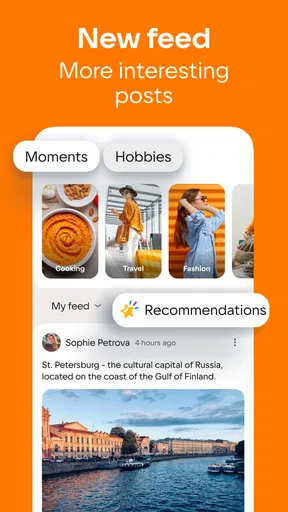

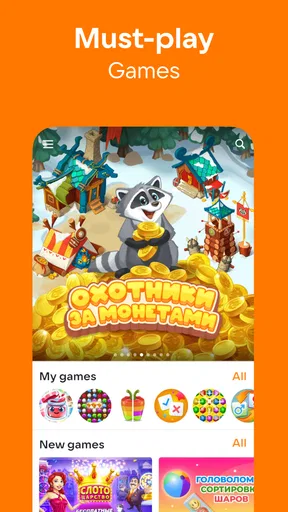
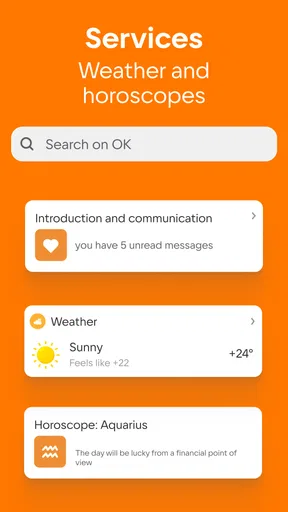
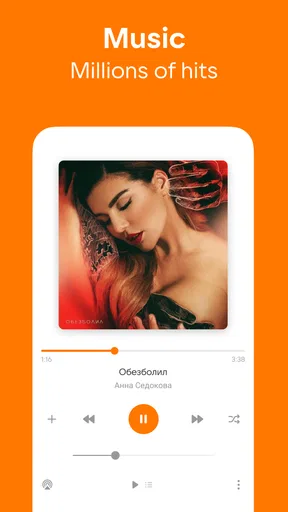

 Analysis by AppCompare
I tend to judge a social app by what happens when I’m not sitting down with time to spare: can I check in on a conversation, find a community, and move on without getting lost? OK: Social Network is built around that everyday mix of people, groups, videos, and shared moments. It is a free social app from VKL, and its long presence in the category is reflected in a 4.3 average from around 2.9 million ratings. That scale can make it easier to find active conversations, though it also means the experience depends on what people around you choose to post.
Getting Started with OK: Social Network
Signing up for OK: Social Network was a breeze. All you need is your email or phone number, and you're good to go. What struck me immediately was the clean and intuitive user interface. Unlike some apps that bombard you with a million options right from the start, OK keeps it simple. It’s like they’ve stripped away the clutter to let you focus on what matters: connecting with people.
Features That Stand Out
Now, let’s dive into what makes OK different from other social networks. One of the standout features is its emphasis on community building. You can join or create groups based on your interests, which means you don’t just follow people; you genuinely engage with communities.
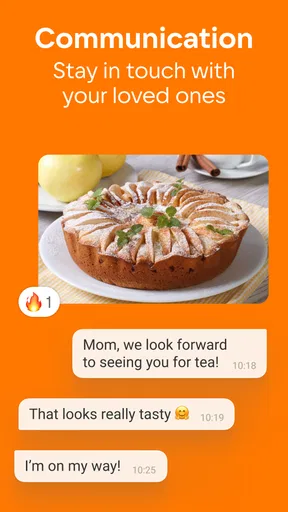
The chat function is another highlight. It supports both private and group chats, but what I love is the integration of multimedia. Sharing images, videos, and even voice notes is seamless, making conversations more vibrant and engaging.
The mix of groups and direct conversations gives me a practical way to use the app: I can keep a topic-based discussion separate from catching up with an individual. If I join a group for a hobby, I’d first browse its recent posts and replies rather than posting immediately. That small check helps me see whether people are actually talking and whether the tone suits me. A group’s title alone does not tell you how useful or welcoming it will be.
When a conversation involves a clip or photo, sharing it in context can be more useful than sending it without explanation. I’d add a short note about why it matters, especially in a busy group where messages can move past quickly. That is a simple way to make the multimedia tools feel purposeful rather than turning a chat into an unstructured stream of attachments.
User Experience
OK offers a minimalist design that's easy on the eyes, which makes navigating through the app a pleasant experience. I appreciate how everything feels just a tap away, whether it's accessing your profile, checking notifications, or exploring new groups.
Worth Reading Before You Choose

Flipboard Shows What News Apps Must Do Beyond the Feed

Switching to Android Auto Means Rethinking Your Driving Routine

Google Calendar Makes a Crowded Week Easier to Manage

Ludo King Makes the Most of the Minutes Between Plans

Baby Panda World Brings Quick Play to Modern Phones, but Its Game Library Feels Busy

ESPN’s Live Game View Makes Following Close Games Easier
One of the things I noticed is how responsive the app is. Whether you're scrolling through your feed or sending a message, there’s little to no lag. It’s these little things that significantly enhance user experience.
That ease of navigation matters most in short mobile sessions. I can imagine opening the app while waiting for a bus, checking a notification, and returning to a group later when I have enough attention to read its thread properly. For a quick check, the uncluttered layout is an advantage; for a long catch-up, it is still worth choosing a stopping point so the feed does not quietly take over the time I meant to spend elsewhere.
One realistic routine would be to use groups for ongoing interests during the week, then look through videos or films when I want something to watch. These are different kinds of attention: a conversation invites a reply, while viewing is more passive. Keeping that distinction in mind helps me decide whether I’m opening OK to interact or simply to browse, rather than drifting from one activity to another without a reason.
The app has been around since March 20, 2012, and its current version is 26.5.28. It is rated Teen, with a minimum OS requirement of 7.0, so I would check device compatibility before trying to install it on an older phone. Its audience is substantial, with over 100 million installs, but a large network does not automatically mean that every local group or personal circle will be active. The useful question is whether the people and topics I care about are present.
Privacy and Security
With all the news about data breaches and privacy concerns, it’s crucial for any social app to prioritize user security. OK seems to take this seriously. The app offers robust privacy settings, allowing you to control who sees your posts and who can contact you. There’s also a two-step verification option that adds an extra layer of security, which I highly recommend enabling.
For me, privacy choices are not a one-time task. Before sharing something intended for a small circle, I would pause to check the audience setting rather than assuming that a post is limited to the people I have in mind. I would also review who can contact me after joining a new community. That habit is especially useful in a social network where public groups and private conversations sit alongside one another.
Connectivity shapes nearly every part of the experience. Groups, messages, and video viewing are most useful when the connection is steady, and a weak signal can interrupt the flow of browsing or sending media. If a post or video stalls, I would check whether other apps are also struggling before repeatedly tapping the same control. When service returns, reopening the relevant conversation and confirming whether a message appeared is a sensible way to avoid sending it twice.
I would treat recovery as a matter of checking the conversation, not assuming that an interrupted action completed. This is particularly important with a photo or voice note: give the app a moment, then look for the item in the thread before trying again. That approach reduces duplicate messages and helps avoid frustration when moving between Wi-Fi and mobile data. It is a small workflow, but one that makes a network-dependent app easier to use calmly.
Why You Should Consider Joining OK
OK is not just about connecting with friends; it’s about finding your tribe. Whether you’re into hiking, photography, or even something niche like vintage car restoration, there’s likely a group for you. It fosters a sense of belonging that I haven’t felt in a while with other platforms.
Moreover, the app’s commitment to a clean, ad-free experience is a huge plus. You don't get those annoying pop-ups or sponsored posts every few seconds, which is a breath of fresh air. It feels like OK genuinely values user experience over monetization.
Its place among familiar social-networking alternatives depends on what I want from the session. If my priority is a compact exchange with a few people, a messaging-first app may be simpler. If I want a broad public feed or a tightly focused professional network, another service may fit better. OK makes more sense when I want group participation alongside personal chats and video content in one social setting. The trade-off is that a broad mix can make the experience feel less focused than an app built around just one activity.
For someone deciding whether the community side will suit them, I would start with one or two interests rather than joining every group that looks promising. A smaller set makes it easier to notice which discussions are genuinely useful and to control notifications without constantly pruning them. If the groups feel quiet or the people I want to reach are elsewhere, there is little reason to force the habit; a social platform works best when it supports real relationships instead of becoming another inbox to maintain.
OK is free to download, while in-app purchases range from $0.49 to $17.99 per item. I would treat optional purchases as something to consider only after using the app enough to know what I actually want from it. The core decision is not about buying anything, but about whether its communities and social routines are worth returning to. A Teen content rating is also useful context for families, though I would still encourage younger users and parents to discuss what they share and who they interact with.
For data-conscious use, I would save video browsing for a reliable connection when possible and be selective about opening media while relying on a limited mobile plan. That is not a special setting or a promise about how much data the app uses; it is a practical choice for any service built around viewing and sharing media. Text-based check-ins are usually easier to fit into a brief moment, while videos are better left for when I can pay attention and am comfortable using the connection.
Where It Fits—and Where It Doesn’t
I would recommend giving OK a try if you enjoy finding interest-based groups, keeping up with friends, and having videos within the same social environment. It is particularly suited to people who like browsing at their own pace and joining conversations when they have something to add. The app’s 4.3 average rating and millions of ratings suggest that it has reached a broad audience, but I would still judge it by the activity and quality of the circles I personally find.
I would skip it if I want a social app that works as a quiet, single-purpose tool, or if most of the people I want to contact already use another service. A large install base cannot replace the presence of a specific friend or an active group. And if I am trying to reduce time spent scrolling, I would be deliberate about opening it for one task—such as replying to a message—then closing it instead of treating every notification as an invitation to browse.
So, if you're tired of the same old social platforms and are craving something new, I’d say give OK: Social Network a try. It might just be the change you need in your social media life. Not only does it offer a vibrant space for interaction, but it also respects your privacy and aims to keep your experience enjoyable. Who knows, you might find your new favorite hangout spot in the digital world.
My connectivity verdict is straightforward: OK is at its best when I have a stable connection and a reason to check in, whether that means replying to someone, following a group discussion, or watching a video. It is less appealing when I need a dependable offline activity or want one narrowly defined social tool. I would begin with a few conversations, pay attention to the privacy controls, and see whether the communities give me a reason to come back. If they do, its blend of people, groups, and media can earn a place in my regular routine; if not, the app’s scale alone is not a reason to stay.
Pros
- User-friendly interface for easy navigation.
- Strong privacy features protect user data.
- Wide range of communities to join.
- Seamless integration with other apps.
- Real-time notifications keep you updated.
Cons
- Limited customization options for profiles.
- Occasional bugs may disrupt the experience.
- Ads can be intrusive at times.
- Requires stable internet connection.
- Lack of advanced search filters.
FAQs for OK: Social Network
What is OK: Social Network and how does it differ from other social media platforms?
OK: Social Network is a versatile social media app that focuses on connecting users through a variety of interactive features such as groups, events, and messaging. Unlike other platforms, OK emphasizes community building and user privacy, offering customizable privacy settings and unique content-sharing options to enhance user experience.
Is OK: Social Network free to use, and are there any in-app purchases?
Yes, OK: Social Network is free to download and use. However, it does offer in-app purchases for premium features and enhancements. These may include ad-free browsing, additional customization options, or exclusive content. Users can enjoy the core functionalities without any cost, making it accessible to a wide audience.
How secure is my data on OK: Social Network?
OK: Social Network prioritizes user privacy and data security. It employs advanced encryption and security measures to protect user information. Additionally, users have control over their privacy settings, allowing them to decide what information is shared and with whom. Regular updates ensure that security protocols are up-to-date.
Can I customize my experience on OK: Social Network?
Absolutely! OK: Social Network offers extensive customization options, allowing users to personalize their profiles with themes, layouts, and privacy settings. Users can also curate their content feeds by choosing what kind of posts they want to see, ensuring a tailored and enjoyable social media experience.
What kind of content can I share on OK: Social Network?
Users on OK: Social Network can share a wide range of content, including text updates, photos, videos, and links. The platform supports rich multimedia content, allowing users to express themselves creatively. Additionally, users can create and join groups to share content within specific communities, enhancing interaction and engagement.


